
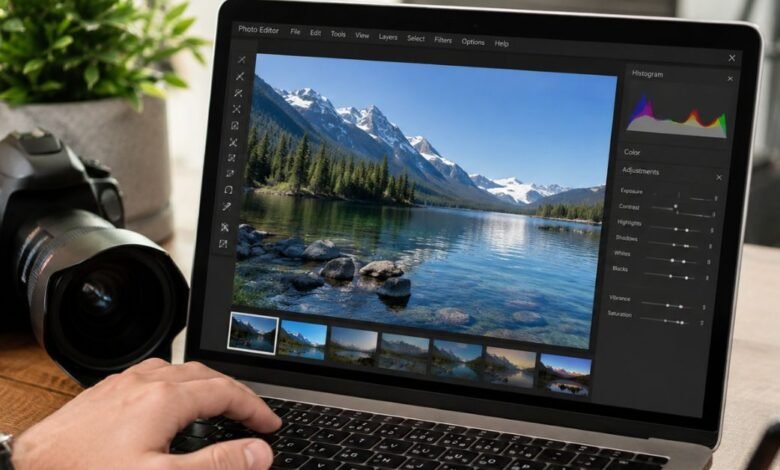
A good photo editor can turn an ordinary picture into something polished without requiring expensive software or years of experience. Whether you are improving smartphone photos, preparing images for social media, correcting RAW files, or making detailed edits on a computer, there are more capable free options available than ever.
The challenge is knowing which apps are genuinely useful and which ones only provide a limited free version before asking you to subscribe. Some editors are excellent for quick mobile adjustments, while others are designed for detailed desktop work with layers, masks, RAW processing, and advanced colour controls.
This guide to the best free photo editing apps 2026 focuses on what each option is actually good at, who should use it, and what limitations you should know before choosing one.
What Makes a Good Free Photo Editing App?
The best editor is not necessarily the one with the largest number of tools. A beginner may prefer a simple interface with useful automatic adjustments, while an experienced photographer may need precise controls for exposure, highlights, shadows, colour, sharpening, and RAW files.
A worthwhile free photo editor should provide a useful collection of editing features without making basic functions unnecessarily difficult to access. Export quality also matters. An editor that produces a heavily compressed image may not be suitable for photography, printing, websites, or professional work.
Other factors worth considering include device compatibility, ease of use, advertising, watermarks, file support, offline functionality, layers, selective adjustments, object removal, presets, and whether important features are restricted to a paid plan.
It is also important to distinguish between a completely free application and an app with a free tier. Many popular editors allow users to edit photos without paying, but reserve certain advanced tools, cloud storage, or premium presets for subscribers.
Snapseed
Snapseed remains one of the strongest choices for people who want a capable mobile photo editor without a complicated workflow. Current 2026 photography coverage continues to place it among the leading free options for Android and iPhone users.
Its appeal comes from the balance between simplicity and control. You can make basic corrections such as cropping, rotating, straightening, and adjusting brightness, but you can also work with curves, selective adjustments, sharpening, healing, perspective correction, and creative effects.
The Healing tool is particularly useful when you want to remove a small unwanted object or distraction. Selective adjustments are also helpful because they let you change parts of an image without applying the same correction to the entire photograph.
Snapseed is a particularly good starting point for beginners because its interface is approachable, yet it gives experienced users enough control for considerably more detailed editing.
For everyday smartphone photography, portraits, landscapes, travel pictures, and social-media images, it is difficult to overlook Snapseed when comparing the best free photo editing apps 2026.
Adobe Lightroom Mobile
Adobe Lightroom is worth considering if your priority is photography rather than decorative effects. Its free version provides useful editing capabilities, although some advanced features require a paid subscription.
Lightroom is particularly well suited to exposure correction, colour adjustments, presets, detail enhancement, and RAW photography. Photographers who regularly shoot with a phone or camera and want more precise control over the final image may prefer its workflow.
The app also has a strong reputation among photographers because adjustments can be much more deliberate than simple one-tap filters. You can fine-tune highlights, shadows, white balance, contrast, texture, clarity, and other aspects of an image.
The main consideration is the difference between the free and paid versions. Anyone searching for a completely free photo editor should check which tools are included in the current free tier before committing to Lightroom.
For photographers who are comfortable with a more advanced interface, however, Lightroom can be one of the most useful free photo editing apps available.
Photopea
Photopea takes a different approach because it works in a web browser rather than requiring a traditional desktop installation. It is particularly useful for people who want Photoshop-style editing without purchasing Photoshop.
Its interface includes familiar concepts such as layers, masks, selections, adjustments, and other tools needed for detailed image manipulation. It can be especially convenient for editing from a computer when you do not want to install dedicated software.
Photopea is also useful for working with layered files and creating graphics such as thumbnails, website images, promotional artwork, and social-media designs.
The free version is supported by advertising, so it is not the same experience as using completely free open-source desktop software. Nevertheless, its browser-based convenience makes it an excellent option for users who need more than simple cropping and colour correction.
If your main requirement is Photoshop-style editing without a desktop installation, Photopea deserves a place on your shortlist.
GIMP
GIMP has been a major name in free image editing for years, and it remains one of the most capable choices for desktop users. Current 2026 comparisons continue to identify it as a serious free alternative for people who need advanced editing tools.
Unlike many mobile editors, GIMP is built for users who want deeper control. It supports layers, masks, selections, brushes, retouching, and extensive image manipulation.
That flexibility comes with a learning curve. Someone who simply wants to brighten a holiday photo may find GIMP unnecessarily complicated. A photographer, designer, blogger, or creator who wants to learn more advanced editing techniques may find that complexity worthwhile.
GIMP is especially attractive because it does not depend on a monthly subscription for its core editing experience. It is therefore a strong choice for users who want desktop photo editing while keeping their software budget at zero.
Affinity
Affinity has become an important option in the 2026 free photo-editing conversation. Recent comparisons highlight Affinity as a professional-grade alternative that has become much more accessible to users looking for powerful editing without the traditional cost of premium creative software.
Its appeal is strongest among users who want a more professional environment than a basic phone editor can provide. Advanced editing, detailed image work, and a more structured creative workflow make it worth considering for photographers and designers.
The exact availability and features can change over time, so users should always check the current version and licensing terms before relying on it for a long-term workflow.
For someone moving beyond casual smartphone edits, Affinity can be a compelling option.
Darktable
Darktable is particularly interesting for photographers who work with RAW files and want an open-source alternative to commercial photography software.
RAW editing requires different capabilities from simply applying a filter to a JPEG. Photographers often need careful control over exposure, colour, white balance, shadows, highlights, sharpening, noise, and other image characteristics.
Darktable is designed around that kind of photography workflow. It is therefore better suited to someone who has a camera-based workflow than to someone who only needs to prepare pictures for Instagram.
Its interface may take some time to understand, but the learning investment can pay off for photographers who want detailed control without paying a recurring subscription.
RawTherapee
RawTherapee is another strong choice for photographers who want dedicated RAW processing software. It focuses heavily on image quality and detailed adjustments rather than quick social-media effects.
It can be useful when you have RAW files from a digital camera and want to make careful corrections before exporting them into another format.
The interface is more technical than a typical mobile photo editor, so it is not necessarily the best recommendation for someone editing their first smartphone photograph.
For photographers who want a free desktop RAW workflow, however, RawTherapee remains highly relevant in 2026. Current free-editor comparisons continue to include it among serious desktop options.
Pixlr
Pixlr is useful when speed and convenience are more important than a deep professional workflow. Its browser-based approach makes it convenient for quick edits without installing large desktop software.
It can handle common tasks such as cropping, adjustments, filters, creative effects, and image preparation for online publishing. Depending on the current version and plan, some advanced features may have usage restrictions.
Pixlr can therefore be a good middle ground. It offers more flexibility than a very basic mobile editor while remaining easier to approach than complex desktop applications.
It is particularly suitable for bloggers, students, social-media users, and anyone who occasionally needs to modify an image from a computer.
Canva
Canva is not primarily a traditional photography editor, but it deserves consideration because many people do not simply edit photos anymore. They combine photographs with text, graphics, layouts, logos, and social-media elements.
For example, a blogger may need to resize a photograph, add a headline, place a logo, and prepare the result for a website. A social-media creator may want to turn a photograph into a post or story with text and graphic elements.
Canva is especially accessible to beginners because its design-focused interface makes common visual tasks straightforward.
Its free plan is useful, but some templates, assets, and features are restricted to paid users. That means it should be considered a free-tier option rather than automatically described as an entirely unrestricted editor.
Google Photos
Google Photos is another practical option for users who mainly want quick improvements rather than advanced editing.
Its editing tools can be useful for everyday adjustments such as cropping, rotating, applying filters, and improving the appearance of ordinary smartphone photographs.
The biggest advantage is convenience. If your photographs are already stored in Google Photos, making a quick correction without moving the image into another application can save time.
It is not intended to replace a full desktop editor, but for casual photography it can be enough to handle many common tasks.
Best Free Photo Editor for Android
Android users have a particularly broad selection of free editing tools. Snapseed is one of the easiest recommendations when you want substantial editing control without a complicated subscription system.
Lightroom is another strong choice if colour correction and RAW photography are priorities. Google Photos is useful for quick corrections, while browser-based editors can provide additional flexibility when working from a larger screen.
Your choice should depend on how much control you actually need. There is little benefit in installing a complicated professional editor if your normal workflow only involves cropping, adjusting brightness, and preparing pictures for social media.
Best Free Photo Editor for iPhone
iPhone users can choose from many capable editors, including Snapseed, Lightroom, VSCO, and built-in editing tools.
Snapseed is particularly attractive for users who want a dedicated editor with substantial control. Lightroom is better suited to photographers who want more advanced colour and RAW workflows, while simpler built-in tools can be enough for everyday corrections.
The best option ultimately depends on whether your priority is speed, creative effects, professional adjustments, or convenience.
Best Free Photo Editor for Beginners
For beginners, ease of use should be one of the most important considerations.
A good beginner-friendly editor should make basic tasks obvious. Cropping, brightness, contrast, colour, sharpness, and filters should not require extensive technical knowledge.
Snapseed is a strong choice because it combines a relatively approachable interface with advanced tools that users can gradually learn. Canva and Google Photos can also be useful for people who mainly need simple image improvements.
Beginners should resist the temptation to choose an application simply because it has hundreds of features. More tools do not automatically mean better results.
Best Free Photo Editor for RAW Photos
RAW files contain considerably more image information than ordinary compressed photographs, but they also require a suitable editing workflow.
Lightroom, Darktable, and RawTherapee are strong choices for photographers who want to work with RAW images. Snapseed can also be useful in mobile photography workflows, depending on the device and file format.
When selecting a RAW editor, look beyond the ability to open the file. Consider exposure recovery, white balance, colour controls, noise reduction, sharpening, export options, and how efficiently the program handles large collections.
Best Free Photoshop Alternative
There is no single replacement that perfectly reproduces every Photoshop feature.
Photopea is a strong option for browser-based, Photoshop-style work. GIMP provides extensive desktop editing capabilities, while Affinity offers another professional-oriented environment.
The right choice depends on what you actually use Photoshop for. Someone who works with layers and selections has different needs from someone who primarily adjusts RAW photographs.
Free Photo Editors Without Watermarks
Watermarks are one of the first things users should check when choosing a free editor.
A free application may allow editing but place a logo or watermark on exported images. This can be particularly frustrating when preparing photographs for clients, websites, portfolios, or social media.
Before editing an important project, make a test image and export it. Check the final file rather than assuming that the word “free” guarantees unrestricted output.
The same principle applies to export resolution, file formats, advertising, and premium features.
Completely Free vs Free-Tier Apps
This distinction can save you a lot of frustration.
A completely free application generally provides its core editing capabilities without requiring a subscription. Open-source desktop programs such as GIMP, Darktable, and RawTherapee fall into this category.
A free-tier application lets you use the service without paying but may reserve certain tools, templates, storage, exports, or advanced functions for paying customers.
Neither model is automatically better. A free-tier application may offer a much smoother interface and better convenience, while an open-source application may provide greater freedom and fewer restrictions.
Current 2026 comparisons show that free editors range from genuinely unrestricted software to ad-supported and feature-limited services, making it important to check the actual limitations before choosing one.
Important Features to Look For
Before downloading an editor, consider what you actually need.
Basic adjustments
Brightness, contrast, exposure, highlights, shadows, saturation, temperature, and sharpness are useful for almost every photograph.
Cropping and resizing
These tools are essential when preparing images for websites, profile pictures, social-media platforms, or printing.
Selective adjustments
Selective editing allows you to modify a specific part of a photograph rather than changing the entire image. It is especially useful for portraits and landscapes.
Healing and object removal
These features can remove small distractions such as spots, wires, blemishes, or unwanted objects.
Layers and masks
Layers are valuable for complex compositions, graphic work, retouching, and precise image manipulation. They are more common in advanced desktop editors than simple phone applications.
RAW support
If you photograph with a dedicated camera, RAW support can be one of the most important factors in your decision.
Export quality
A powerful editor is not much use if it severely reduces image quality during export. Check available resolution and file-format options before using an app for important work.
How to Choose the Right App
Start with your device and your editing habits.
If you mostly take photos with a phone and want quick but meaningful improvements, a mobile editor such as Snapseed may be sufficient. If you shoot RAW photographs, look toward Lightroom, Darktable, or RawTherapee.
If you need Photoshop-style layers from a browser, Photopea is worth exploring. For extensive desktop editing, GIMP and Affinity deserve consideration.
For social-media designs that combine photographs with text and graphics, Canva may make more sense than a traditional photography application.
The goal is not to find the editor with the longest feature list. The goal is to find one that matches your workflow without making simple jobs unnecessarily complicated.
Tips for Getting Better Results
Good editing is usually about restraint. Increasing every slider can make an image look artificial, while subtle adjustments can make a photograph appear cleaner and more balanced.
Start with exposure and white balance before experimenting with colour. Correct obvious problems first, then make smaller creative adjustments.
Do not rely on filters for every photograph. A filter may look attractive at first but can also remove natural skin tones or create excessive contrast.
When sharpening an image, zoom in to inspect details, but also zoom out regularly to judge the photograph as a whole. The same applies to noise reduction and clarity.
Always keep an original copy of important photographs. Editing a duplicate gives you the freedom to experiment without risking the source file.
Are Free Photo Editing Apps Good Enough for Professional Work?
In many situations, yes.
Professional results depend on the photographer’s source material, editing knowledge, colour decisions, workflow, and final output requirements. A paid application does not automatically produce better photographs.
Free applications can handle a surprising range of jobs, including colour correction, retouching, RAW processing, image preparation, and layered compositions. Current 2026 comparisons show that free software now covers everything from quick mobile edits to advanced desktop workflows.
However, professional users should consider factors beyond editing tools. Batch processing, colour management, file organisation, cloud workflows, plugin support, customer support, and compatibility with other professional software may eventually justify paying for a particular application.
For many hobbyists, bloggers, students, and content creators, though, free software can be more than enough.
What Is the Best Choice Overall?
There is no universal winner because different users have different requirements.
For mobile editing, Snapseed is one of the strongest choices. For photographers interested in RAW and detailed colour work, Lightroom, Darktable, and RawTherapee are more appropriate. For Photoshop-style browser editing, Photopea stands out. GIMP is a powerful choice for advanced desktop editing, while Canva is particularly useful when photographs need to become part of a larger graphic design.
The best free photo editing apps 2026 are therefore best judged by the job they need to perform rather than by a single overall ranking.
If you are unsure where to begin, start with one straightforward application and learn its basic tools thoroughly. Once you understand exposure, colour, cropping, sharpening, and selective adjustments, moving to a more advanced editor becomes much easier.
Conclusion
The range of free photo editors available in 2026 is broad enough to cover almost every type of photography workflow. You can edit a smartphone photograph in seconds, process RAW images on a desktop, create layered compositions in a browser, or prepare social-media graphics without immediately paying for professional software.
The most important step is understanding what “free” actually means. Some applications provide a generous free experience, while others restrict important tools behind subscriptions or usage limits. Checking those differences before choosing an editor can prevent unpleasant surprises later.
For everyday mobile editing, Snapseed is an excellent place to start. Photographers who need RAW processing can look toward Lightroom, Darktable, or RawTherapee, while Photopea and GIMP provide stronger options for detailed image manipulation.
Ultimately, the best free photo editing apps 2026 are the ones that give you the tools you need, fit your device and workflow, and let you produce the final image you have in mind without unnecessary complexity.
FAQs
What is the best free photo editing app in 2026?
Snapseed is one of the strongest choices for free mobile photo editing because it combines basic adjustments with advanced tools.
For desktop and RAW work, GIMP, Darktable, and RawTherapee offer more specialised capabilities.
Is Snapseed completely free?
Snapseed is widely regarded as a free mobile photo editor and remains a leading recommendation in current 2026 comparisons.
It is particularly useful for users who want advanced editing controls without building their workflow around a subscription.
What is the best free Photoshop alternative?
Photopea is a convenient browser-based option for Photoshop-style editing, while GIMP provides a powerful desktop alternative.
Your choice should depend on whether you prefer browser convenience or a dedicated desktop application.
Which free photo editor is best for RAW files?
Lightroom, Darktable, and RawTherapee are strong options for photographers who regularly work with RAW files.
They provide more photography-focused controls than basic mobile editors.
Can free photo editing apps produce professional results?
Yes, free editors can produce high-quality results when the original photograph and editing technique are good.
For advanced professional workflows, however, features such as batch processing, colour management, file organisation, and specialist integrations may influence your choice.
